
Guide contents
Edit a Scene
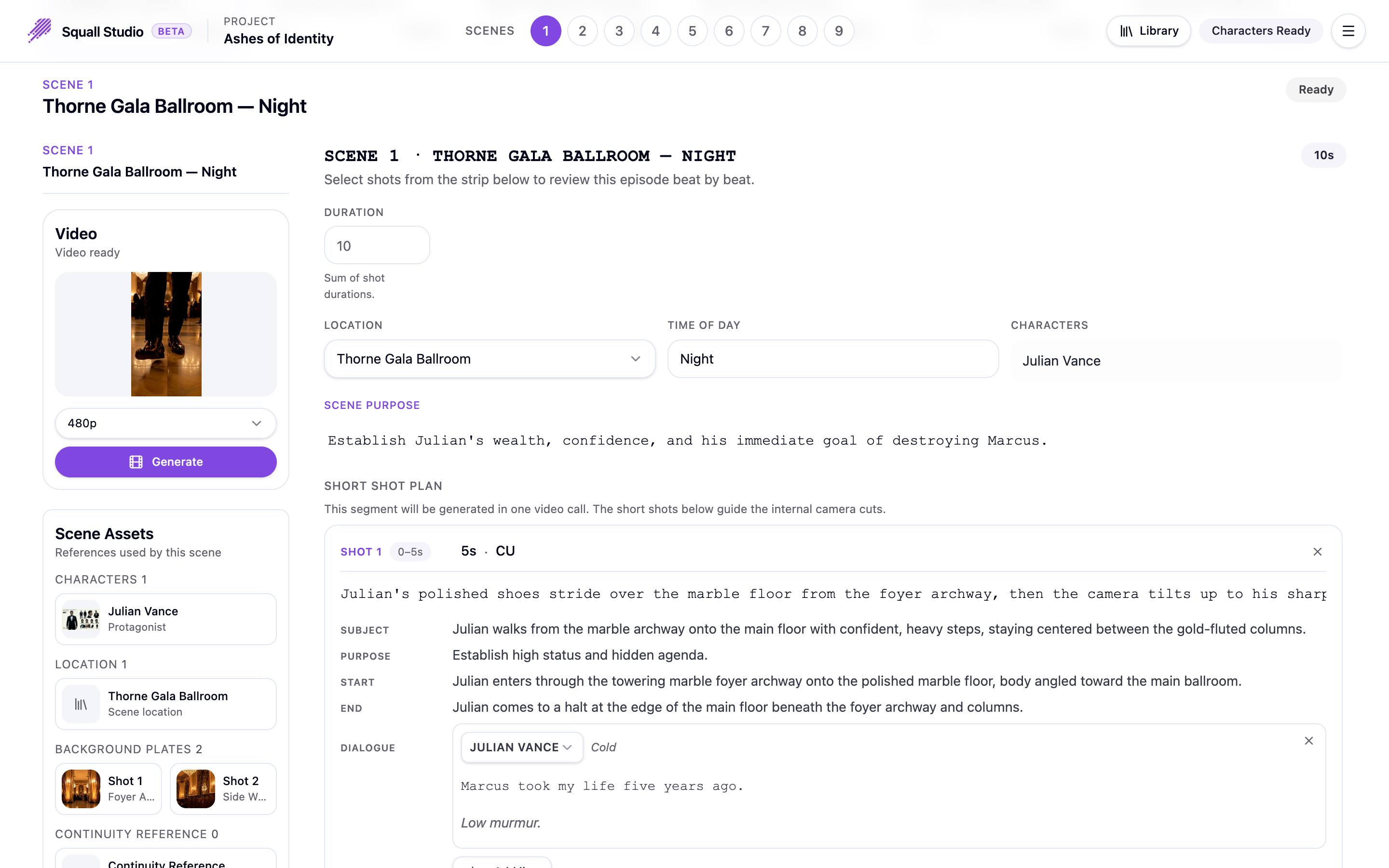
Each scene plays as one continuous video clip, and the scene's script, on the right of its section in the episode editor, is what that clip is made from. This is where you direct it.
Scene settings
- Duration: how long the scene runs, from 4 to 30 seconds. When the scene has a shot plan, this is the sum of its shots' lengths. Without one, type a length or click Auto to let the video model choose.
- Location: where the scene happens, chosen from your project's locations.
- Time of Day: free text, such as night or dawn.
- Characters: who appears in the scene.
- Scene Purpose: what the scene has to achieve in the story.
The shot plan
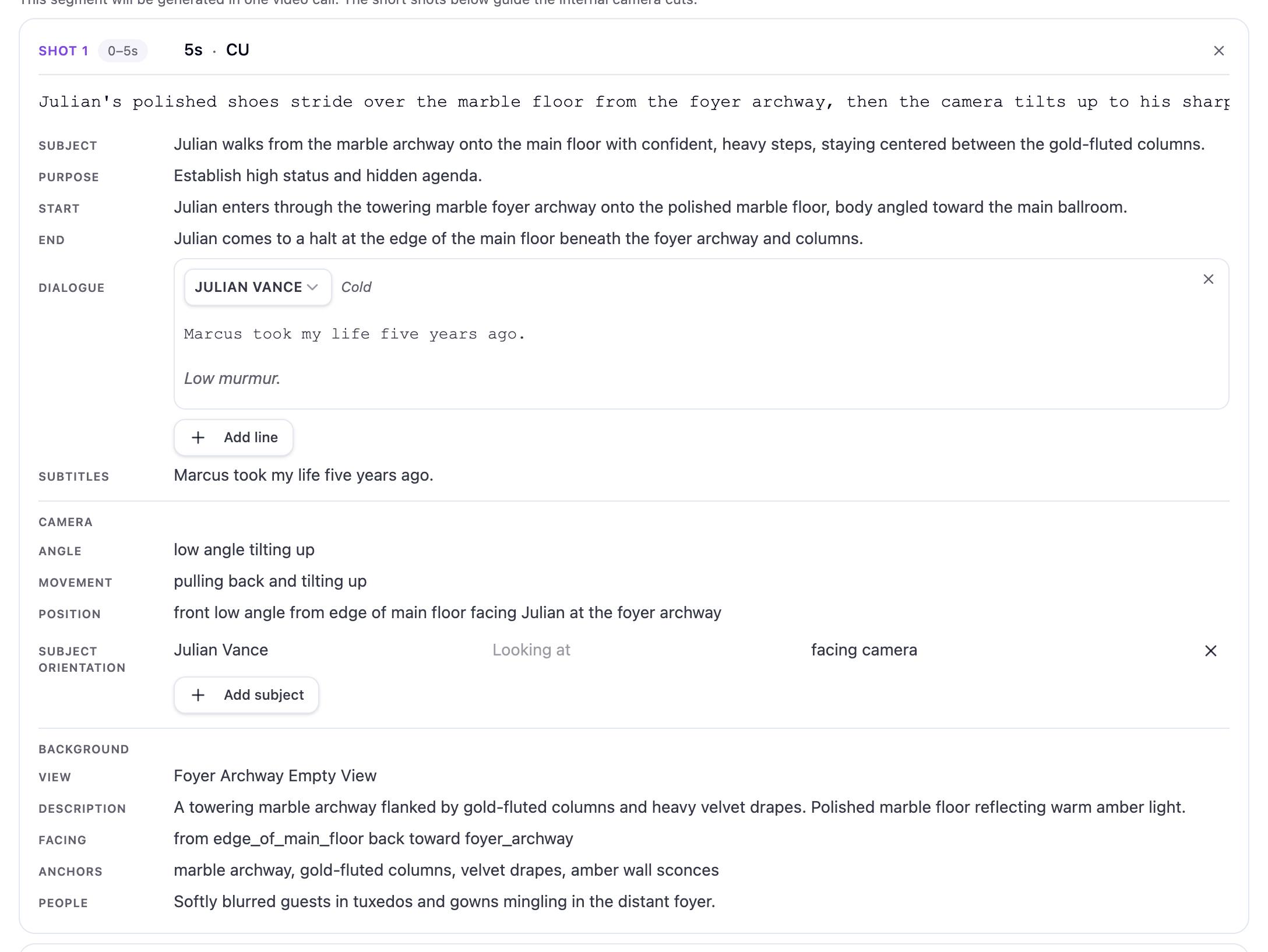
Under Short Shot Plan, the scene is broken into short shots of 1 to 30 seconds. They are generated together, in one clip, as the camera cuts inside it. Each shot shows its time range, its length and shot size (CU is a close-up), and a line describing the action. Below that:
- Subject, Purpose, Start and End: what the subject does, why the shot is there, and how it opens and closes.
- Dialogue: each line has a speaker, an emotion, the words and a delivery note. Add line adds one.
- Camera: its Angle, Movement and Position, and Subject Orientation: who is in frame, what they're looking at and which way they face. Add subject adds someone.
- Background: the empty set behind the action: its View, Description, Facing direction, Anchors (fixed features to keep in place) and the People in the background.
Click a field to edit it. The × beside a shot, a line or a subject removes it.
Or describe the change
Tell the Assistant what to change, and it proposes the edit as a card you apply. While it's open, the scenes are read-only; close it to edit by hand.
Saving and updating the clip
Changes save on their own: Saving…, then Saved, appears beside the scene's status.
See your changes on screen
Editing a scene doesn't change a clip that has already been made. Generate the scene's clip again to see your edits; see Generate scene clips.
Ready to make your own drama?
Start from a one-line idea or a script you already have.